Watching a screw motion
from screws import viz

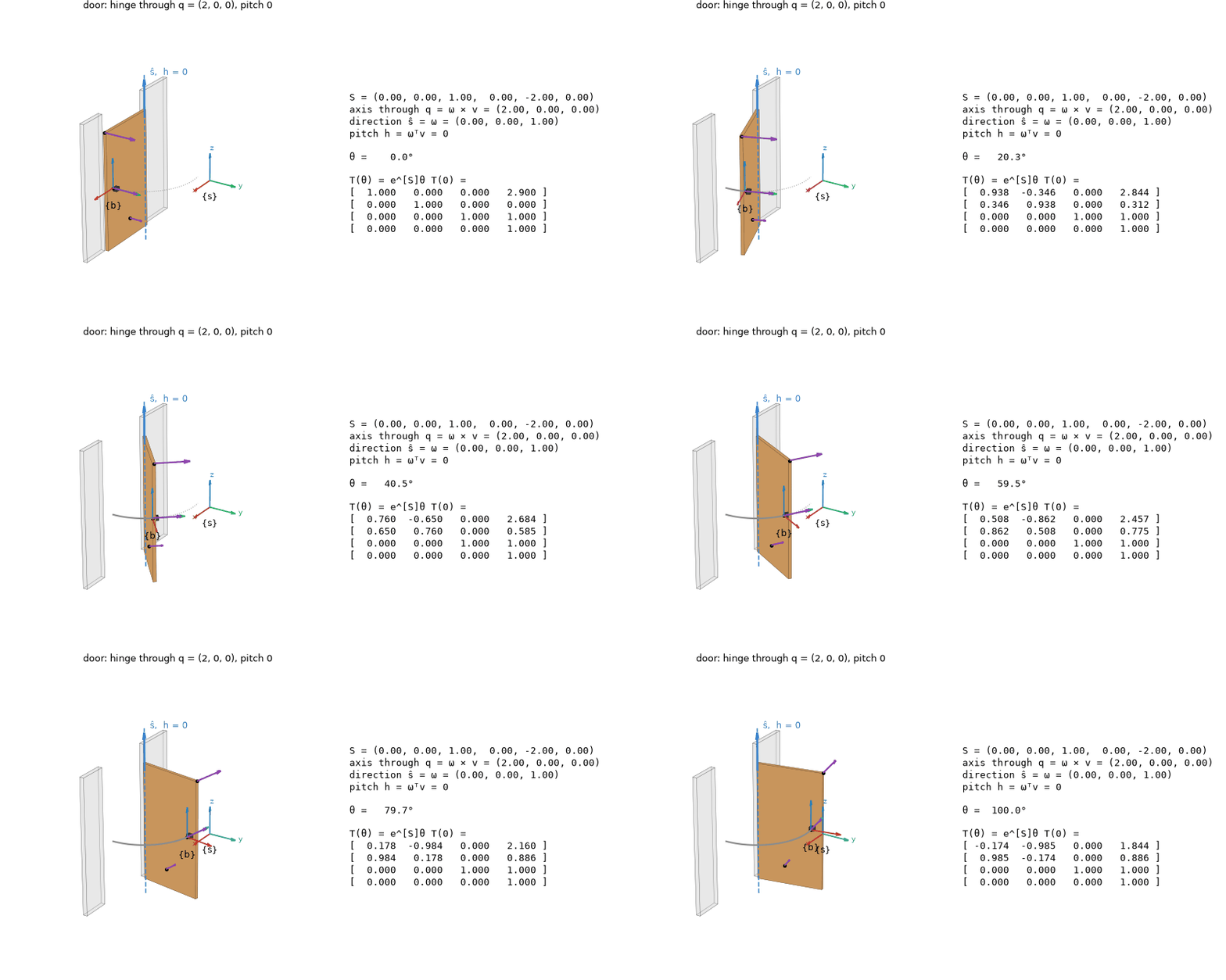
viz.animate_screw(viz.door())          # the door swung about its hinge, with T(θ) = e^[S]θ T(0) beside it
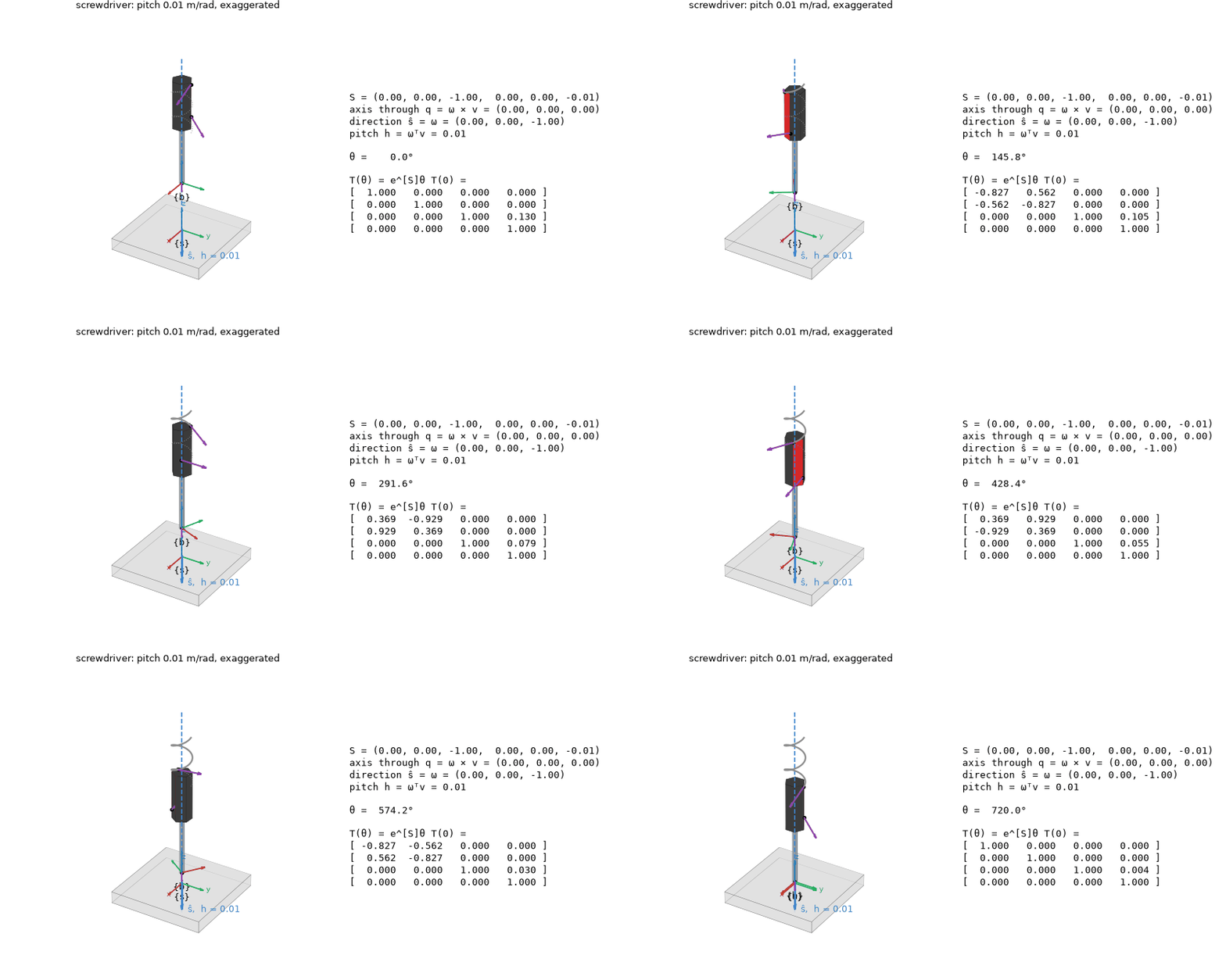
viz.animate_twist(viz.screwdriver())   # the screwdriver under a constant twist: a helix about -z
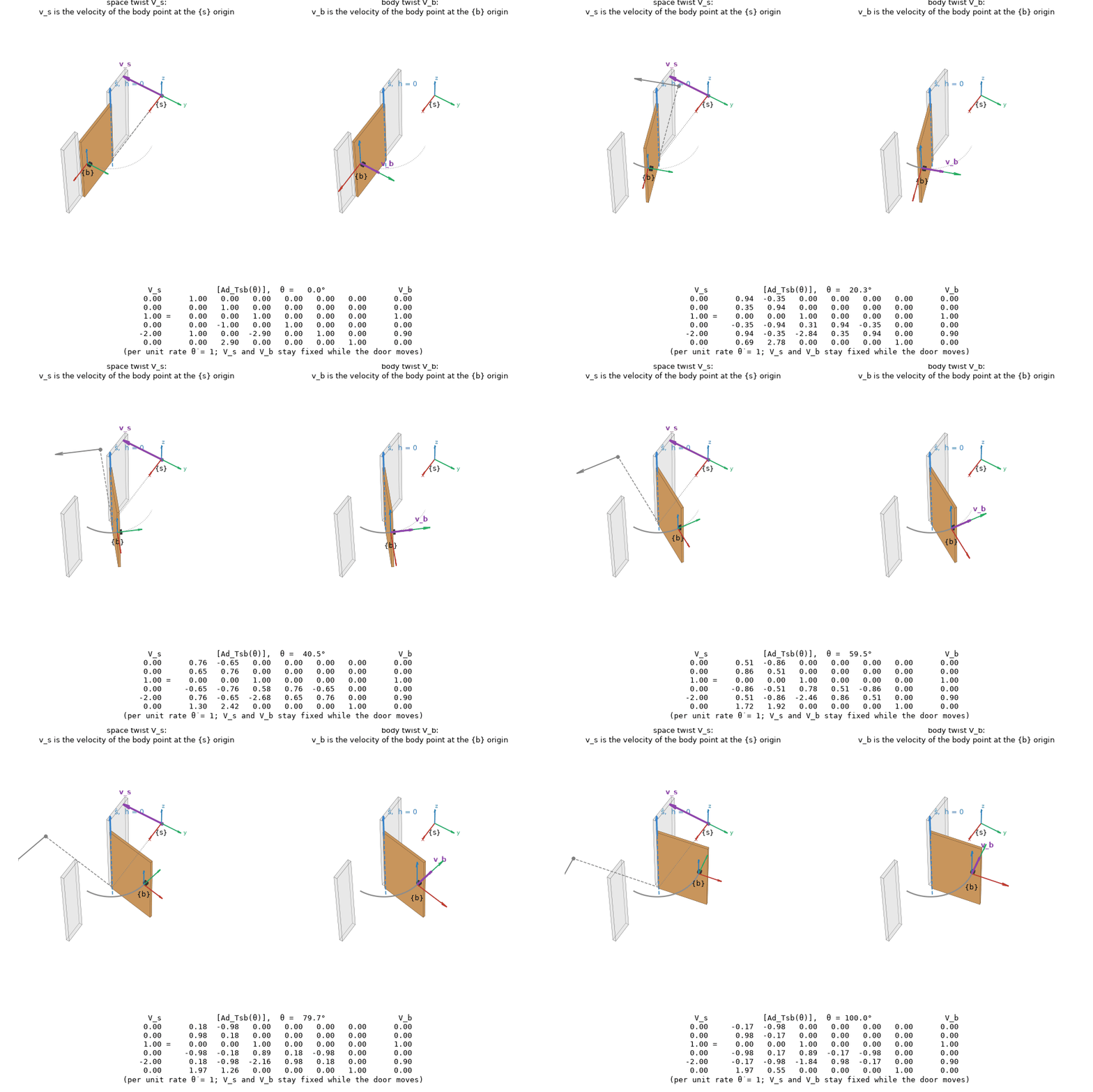
viz.compare_frames(viz.door())         # V_s beside V_b, and V_s = [Ad_Tsb] V_b underneath
viz.animate_screw(viz.screw_between(T_start, T_end))   # the one screw motion from one frame to another
viz.animate_twist([0, 0, 1, 0, -0.5, 0.1], duration=4).save("mine.gif")   # any twist, any body
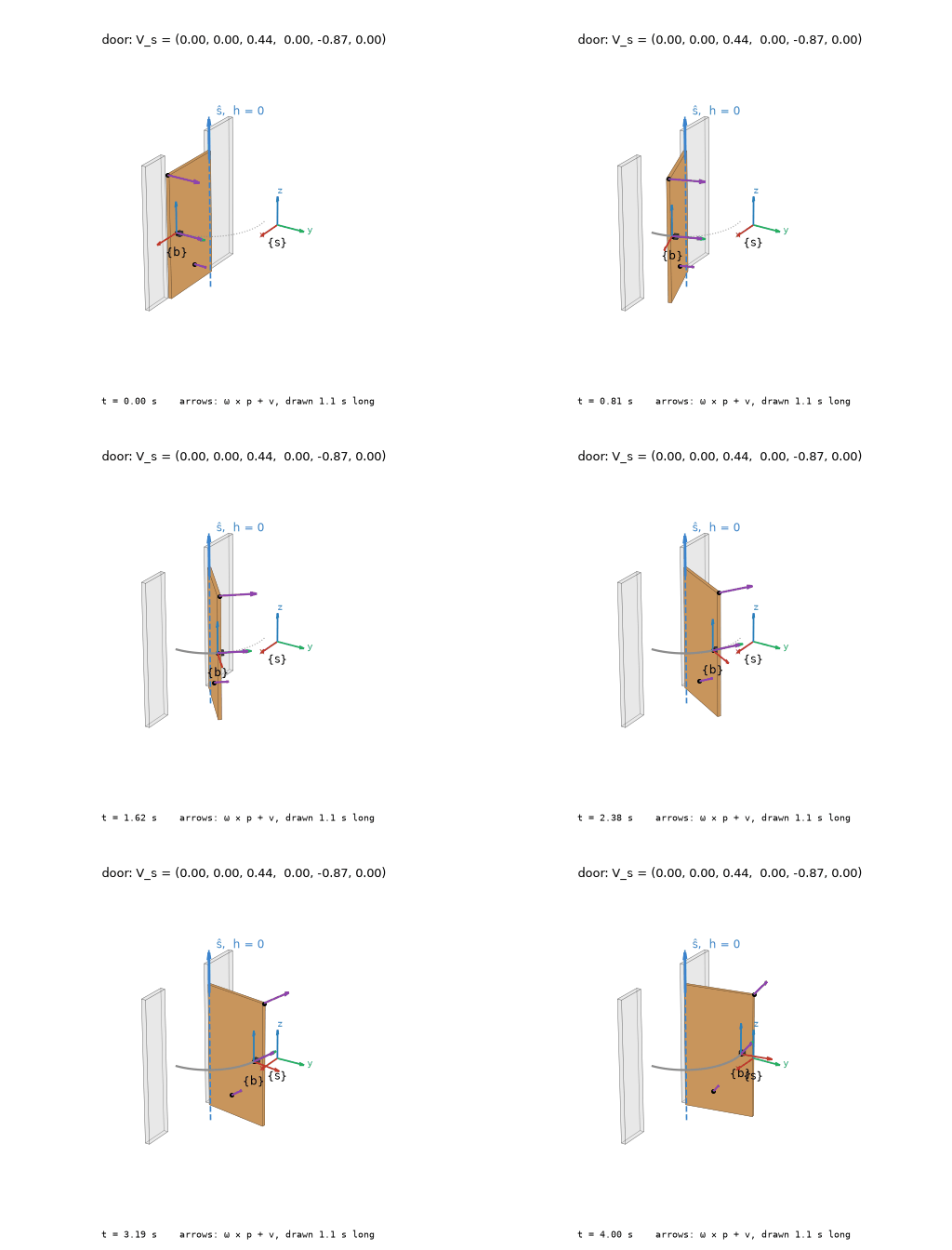
A twist is a motion before it is a six-vector. animate_twist plays a constant twist on a
body: the screw axis drawn as a line with ŝ and the pitch h, one point's path traced (a
helix, or a circle at zero pitch), and purple arrows for the velocities ω × p + v of a few
points. animate_screw sweeps a screw axis over θ and prints the line read off it,
q = ω × v and h = ωᵀv, with T(θ) changing alongside.
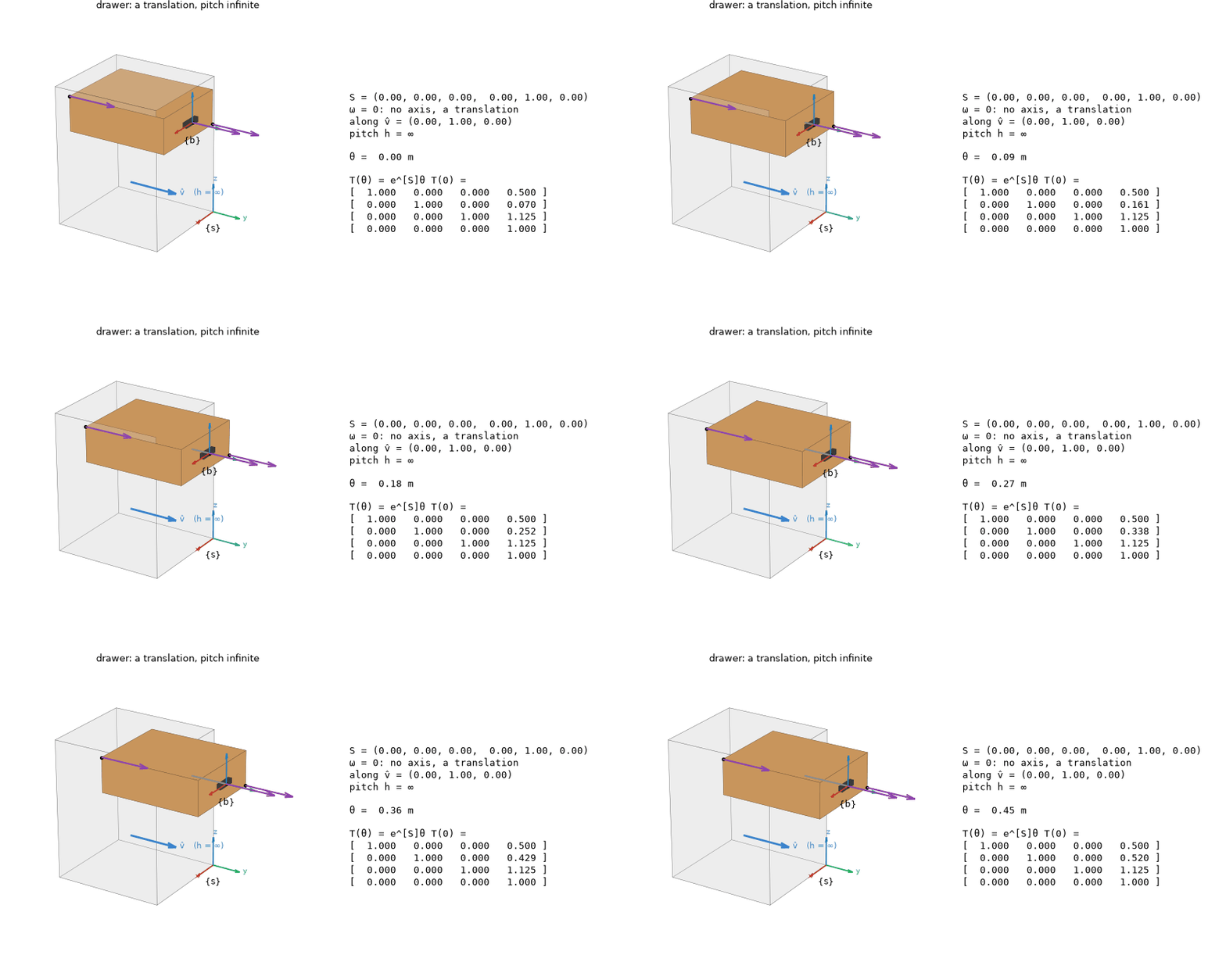
Three pitches. The scenes viz.door(), viz.drawer() and viz.screwdriver() are the
three motions of the notes' chapter 3 review: zero, infinite and finite pitch.
Space and body twists. compare_frames draws one motion twice. On the left, v_s is the
velocity of the body point at the {s} origin: the grey marker is the point that was there
at θ = 0, carried off by the motion while the point now at the origin keeps the same
velocity. On the right, v_b is the velocity of the point at {b}. Under them,
V_s = [Ad_Tsb(θ)] V_b, the adjoint changing and V_s fixed.
animate_twist plays the same door in time, V_s = S θ̇:
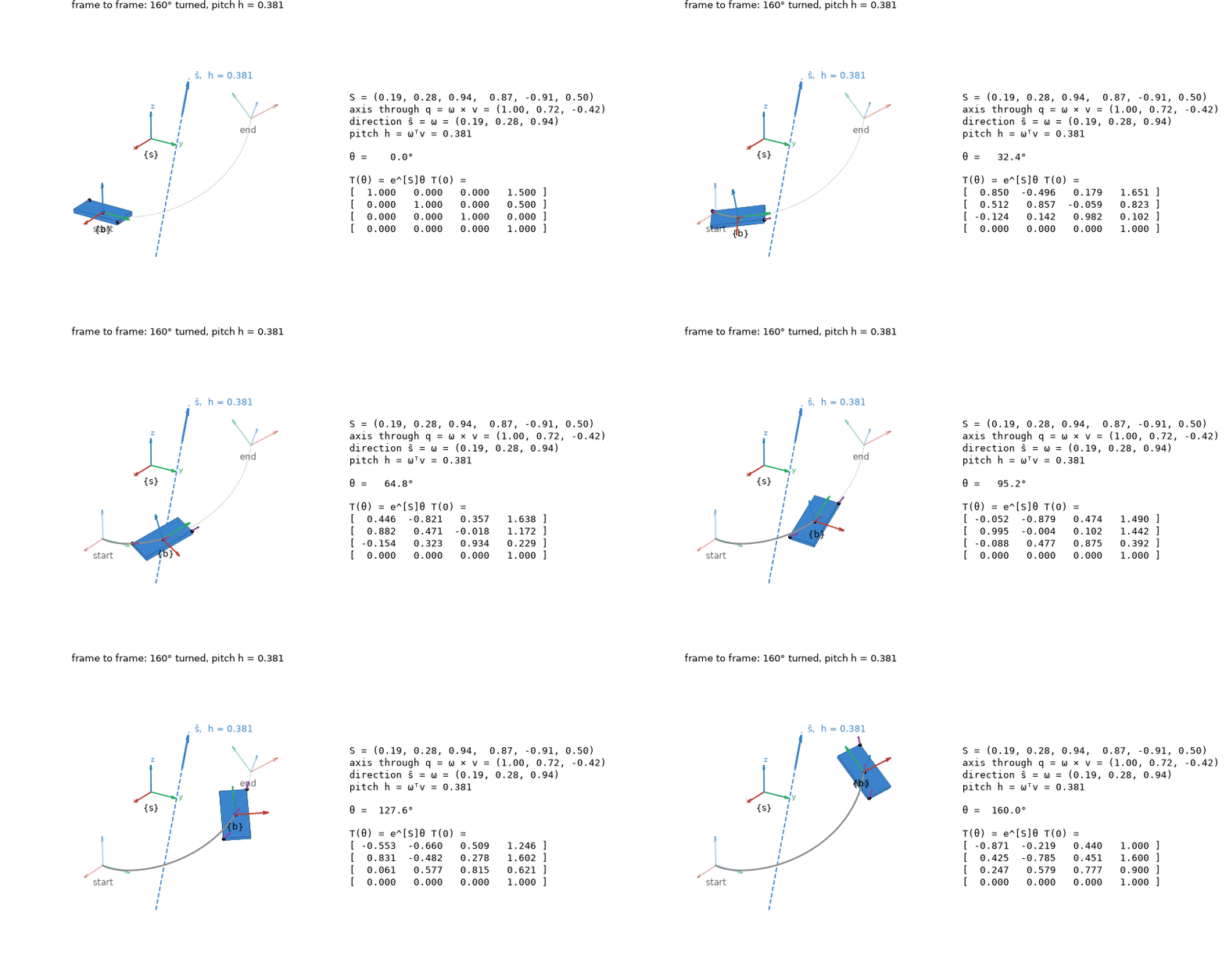
From one frame to another. Every rigid-body displacement is a screw motion (Chasles).
viz.screw_between(T_start, T_end) finds the one that carries T_start to T_end, from
[S]θ = log(T_end T_start⁻¹) with S a unit screw axis, and animate_screw shows the frame
travelling along it, its origin tracing the helix, the start and end frames faded:
Each call returns an Animation: .save("x.gif") (or .mp4 with screws[video]), it plays
inline in a notebook, and .data holds the numbers drawn. viz.Scene, viz.box and
viz.prism build your own body. The geometry is screws.screw_line, screw_motion,
point_velocity and helix, numpy only. examples/screw_motions.py writes every GIF here.